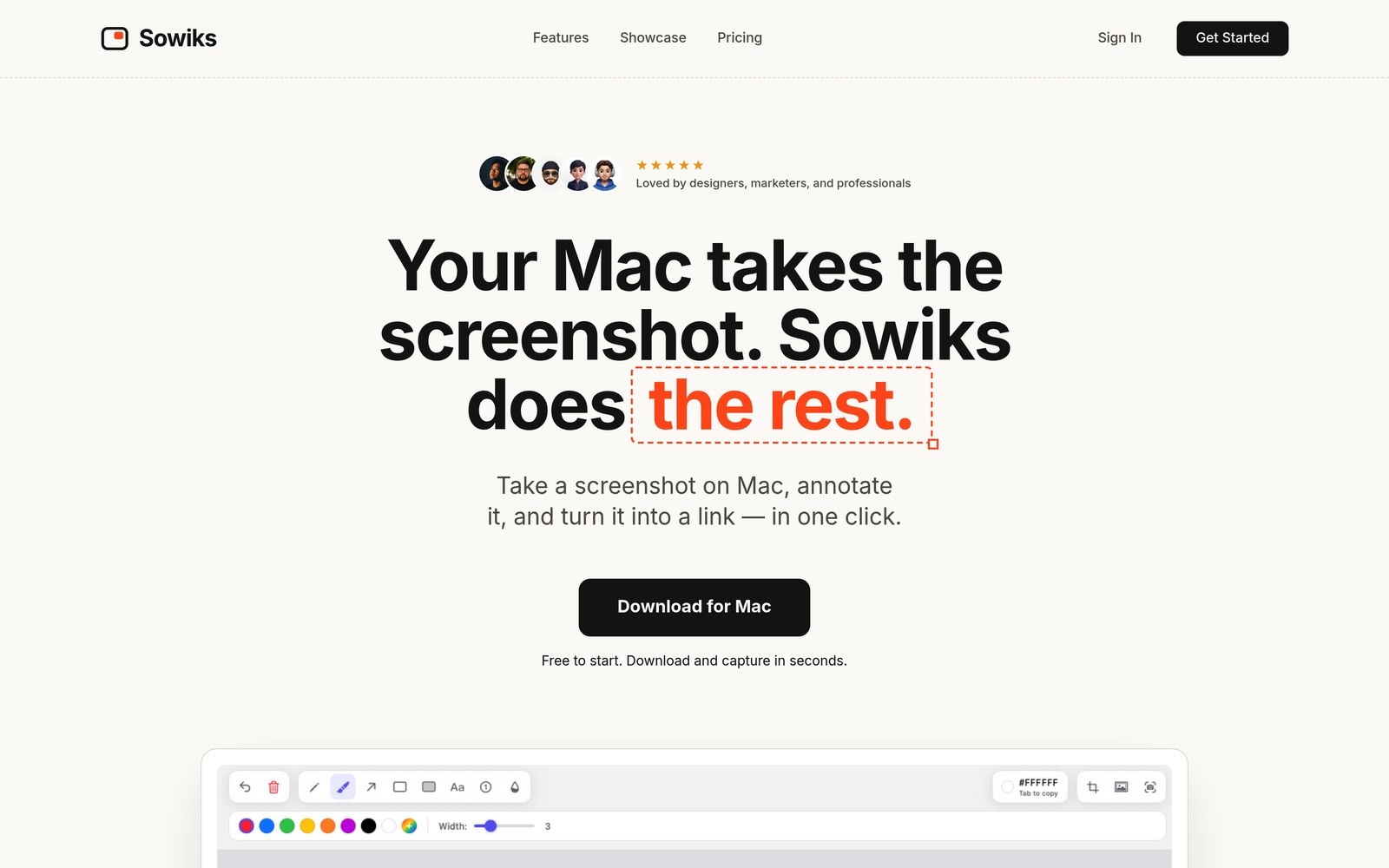
Sowiks is a macOS screenshot app that takes over everything that happens after you press the shortcut. The shot opens in an editor, you annotate it, and one click turns it into a link you can paste into Slack, Jira or an email. It costs $19.99 once, with no subscription, and part of it stays free forever.
This review covers what Sowiks actually does, what it costs, where it is genuinely good and where it falls short in 2026. Prices and features below were checked in August 2026.
Quick verdict
Sowiks is worth buying if you take screenshots for other people — support replies, bug reports, onboarding guides, design feedback. One payment of $19.99 unlocks every capture mode, a 13-tool editor, OCR, screen recording and share links that do not expire. The trade-offs are real but narrow: it is Mac-only, it needs macOS 15.5 or newer, cloud storage is 1 GB, and the free tier after the trial gives you window capture and the editor and nothing else.
Rating: 4.4 / 5. Skip it if you are on Windows, if you need a shared team workspace, or if you already live inside CleanShot X and its cloud.
Sowiks at a glance
| What it is | Screenshot, annotation and screen-recording app for Mac |
| Platform | macOS 15.5 or later. No Windows or Linux version. A free Chrome extension covers browser captures on any OS |
| Price | $19.99 one-time (Solo, lifetime). No subscription |
| Free plan | Yes, permanent: window capture plus the full 13-tool editor |
| Trial | 7 days fully unlocked, no card and no account needed |
| Cloud storage | 1 GB on Solo |
| Stands out for | Scrolling capture, OCR, password-protected share links, GIF and video recording, screenshot collections |
| Best for | Support agents, designers, marketers, developers, anyone writing documentation |
| Not for | Windows users, teams that need a shared library, heavy video archives |
What is Sowiks?
Sowiks is a native Mac app that lives in the menu bar. You capture an area, a window, a full screen or a whole scrolling page, and the capture opens straight in an annotation editor instead of landing silently on your desktop. From there you can blur a password, add step numbers, drop the shot on a coloured background, copy it to the clipboard or upload it and get a link.
The idea behind the app is in its own tagline: your Mac already knows how to take a screenshot, the annoying part is everything that comes next. Cmd+Shift+4 gives you a file on the desktop. Sowiks gives you a finished image that is already marked up, already compressed and already shareable.
The features that matter
Capture modes
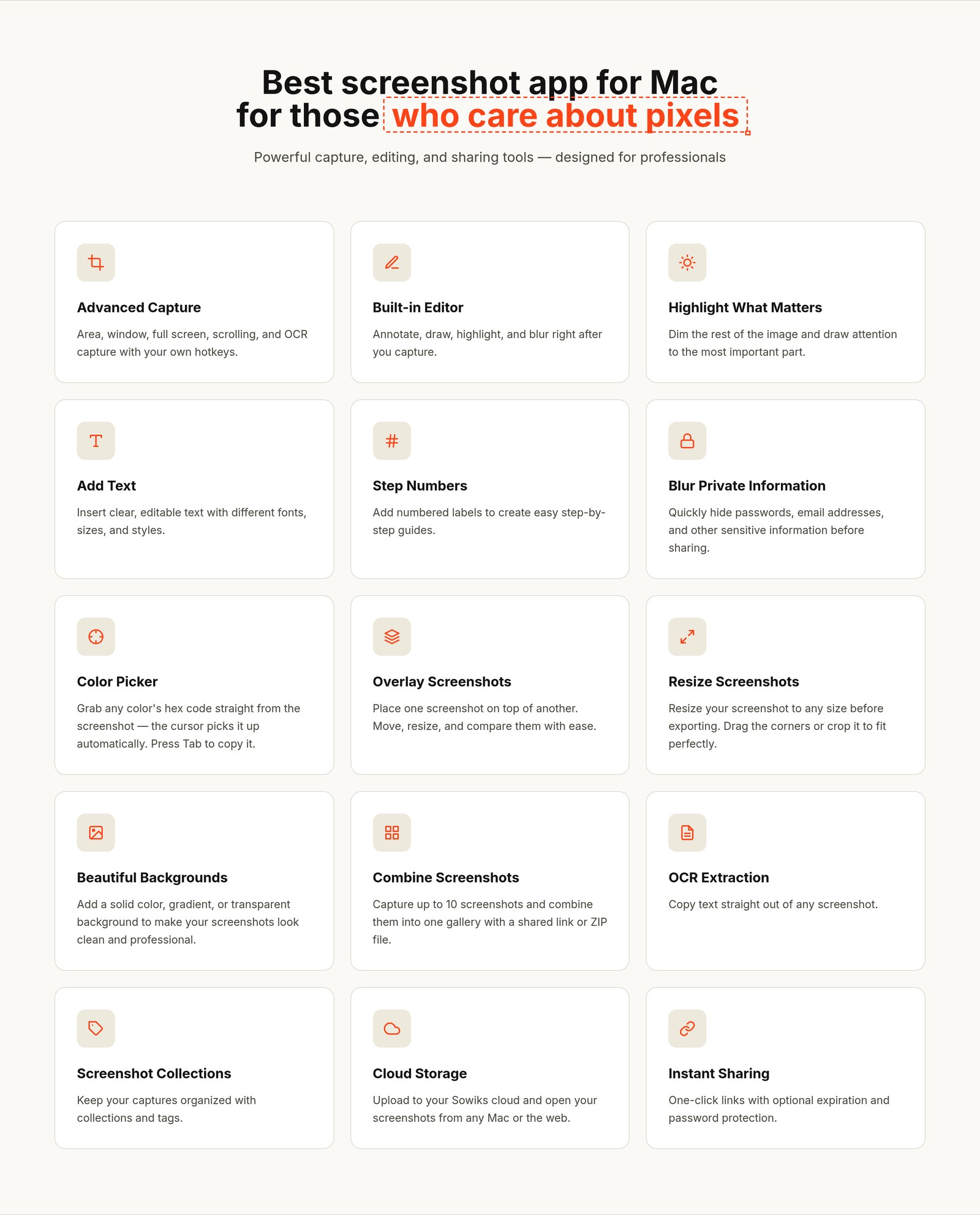
Sowiks covers area, window, full screen, timed and scrolling capture, plus OCR. Scrolling capture is the one people usually pay for: you pick the mode, scroll through a long page or a document, and Sowiks stitches the pieces into a single tall image. It works on pages, chat threads and long tables where a normal screenshot would give you three disconnected files.
OCR is the quiet favourite. You drag over any text inside an image — a screenshot of an invoice, a slide, an error dialog — and the text lands on your clipboard, ready to paste. No retyping, no separate service.
The editor
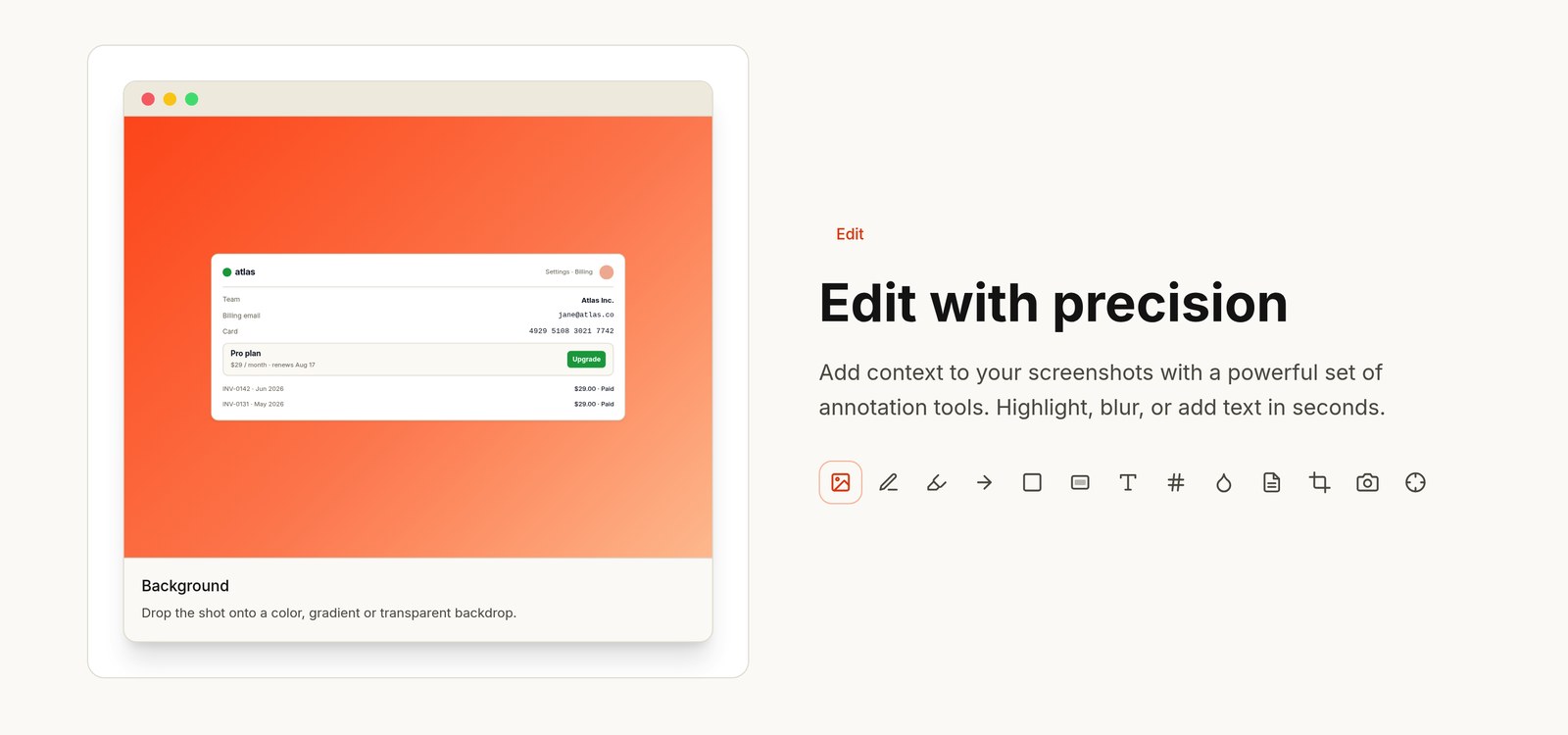
Every capture opens in an editor with 13 annotation tools: pen, arrows, shapes, text, highlight, blur, spotlight, step numbers, crop, a colour picker and more. Two of them save real time:
- Blur. Hide an email address, a card number or a client name before the shot leaves your machine.
- Step numbers. Drop numbered labels on a screenshot and a how-to guide writes itself. If you have ever built an onboarding doc by hand in Figma, this alone is worth the price.
You can also put a screenshot on a solid, gradient or transparent background, overlay one shot on another, resize before export, and pull a hex code straight out of the image with the colour picker.
Share links with an expiry date and a password
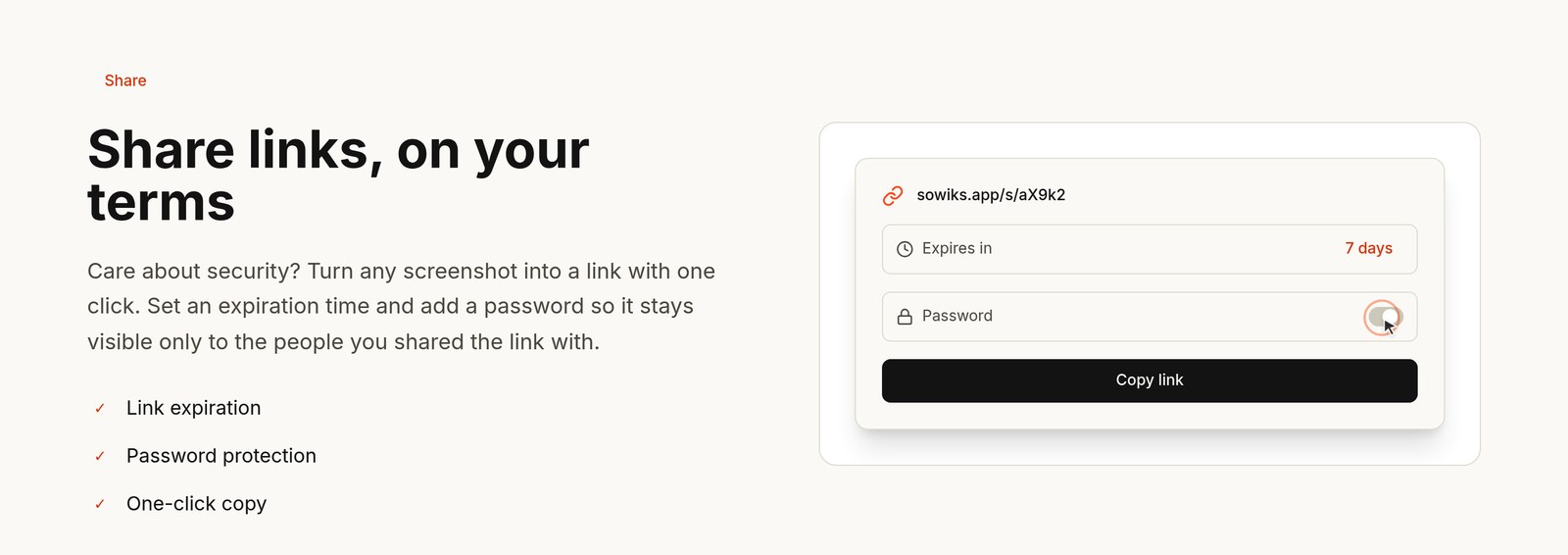
One click uploads the screenshot and copies a link. You can set an expiration time and add a password, so a shot with client data is not sitting on a public URL forever. On the paid plan the links carry no Sowiks branding and never expire unless you delete them.
This is the part that replaces the “upload to Drive, set permissions, copy link, paste” ritual. It is also the part that makes the app feel worth paying for once you use it in a support queue.
Collections
Sometimes one image is not enough. Sowiks lets you combine up to 10 screenshots into one gallery and share it with a single link or export it as a ZIP. Useful for bug reports with several steps, UX reviews, statistics roundups and anything you would otherwise send as five separate attachments.
Screen recording, video and GIF
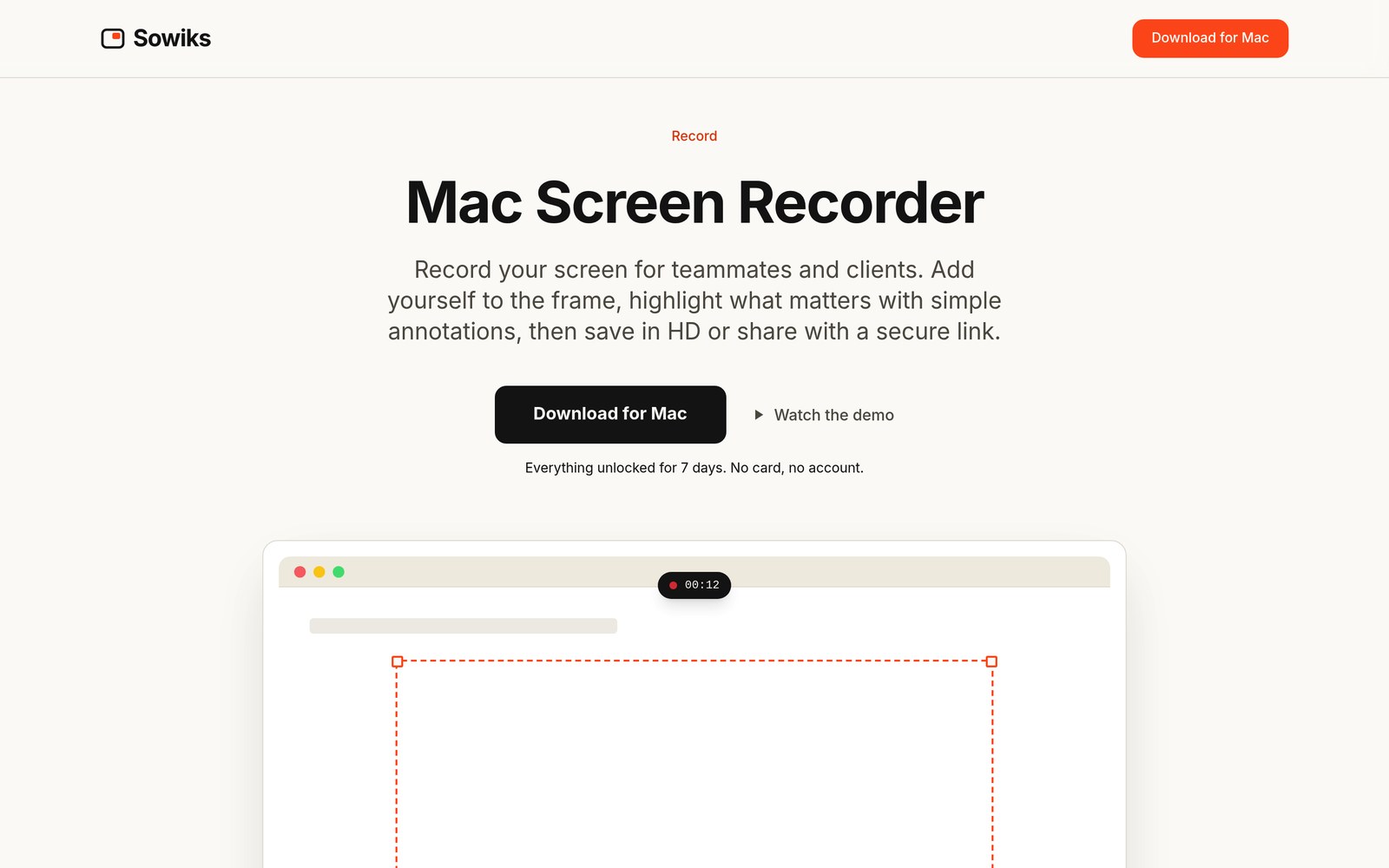
Sowiks records the screen as video or GIF, with a camera bubble, microphone and system sound. You drag to pick the region before you start, and the finished recording goes to a file or a share link just like a screenshot. It is not a replacement for a full video editor, and it is not trying to be — it is for the two-minute “here is what I mean” clip you would otherwise fumble with QuickTime.
The Chrome extension
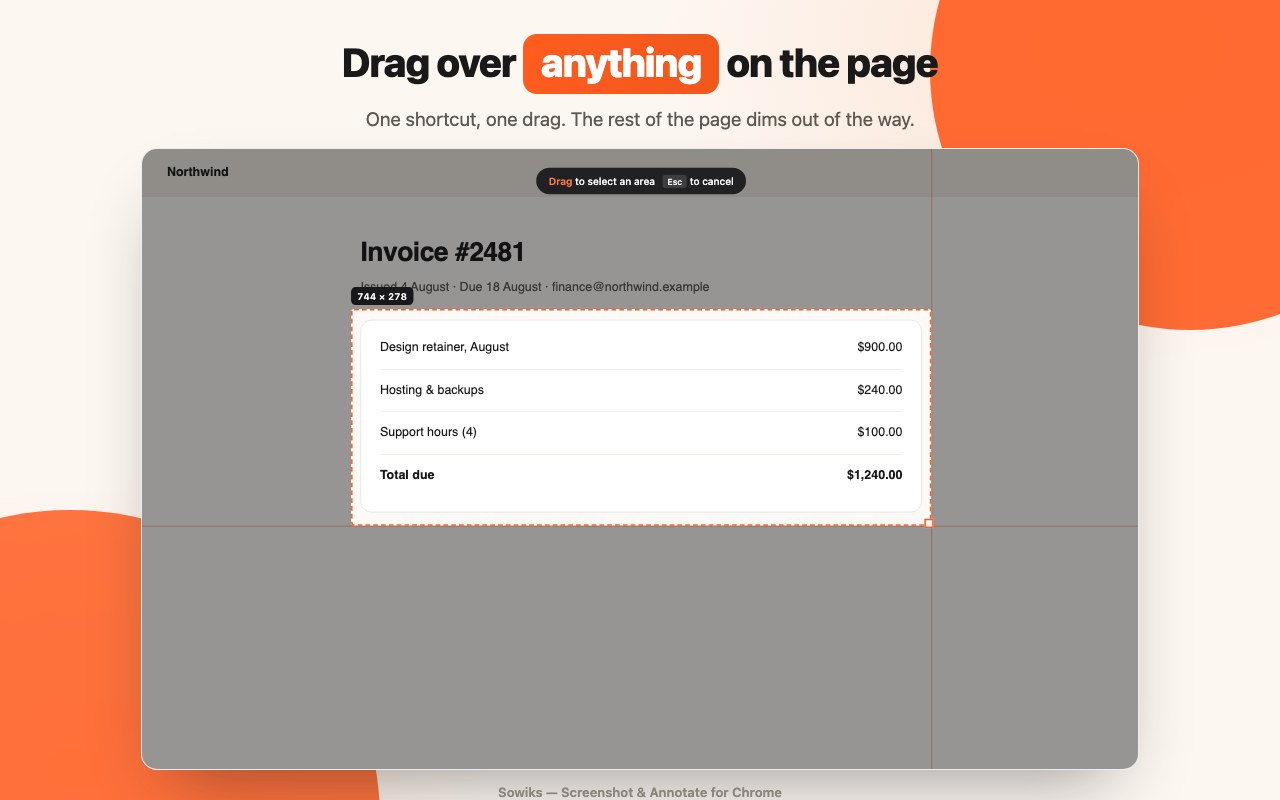
There is also a free Sowiks — Screenshot & Annotate extension in the Chrome Web Store. It is a small, separate tool: press the shortcut, drag over any part of a page, annotate it in the same style of editor, then copy or save. No account, no sign-in, and it asks for no site permissions until you actually use it.
Be clear about what it is not: the extension has no cloud, no share links, no OCR and no scrolling capture. Those stay in the Mac app. But if you only need to grab and mark up something inside a browser tab, it does the job on any operating system and costs nothing.
Sowiks pricing
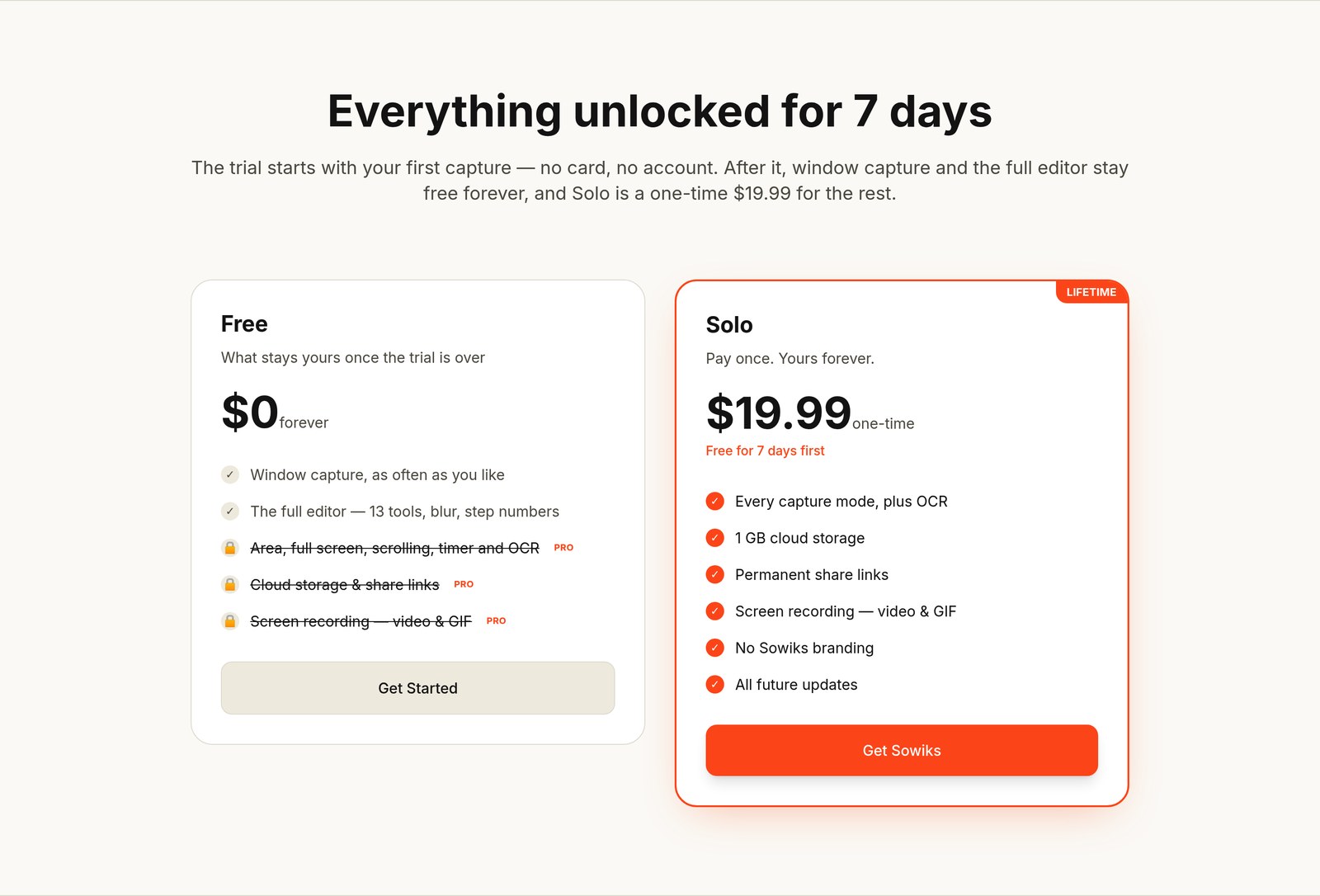
Sowiks has two tiers and no subscription. Solo is a one-time $19.99 purchase made inside the Mac app.
| Plan | Price | What you get |
|---|---|---|
| Free | $0 forever | Window capture, as often as you like, plus the full 13-tool editor. No cloud, no share links, no screen recording, no area or scrolling capture, no OCR |
| Solo | $19.99 one-time | Every capture mode plus OCR, 1 GB cloud storage, permanent share links with no branding, screen recording in video and GIF, all future updates |
The trial is generous and unusually honest: 7 days with everything unlocked, starting with your first capture, no card and no account. You install the app and use it, and nobody asks for payment details up front.
One detail deserves attention before you upload anything important during the trial. When the trial ends, your cloud files stop being shown after three days and the links go dead; two weeks later those files are erased for good. Buying Solo restores access. Anything saved locally is untouched — this only concerns files you uploaded to the Sowiks cloud.
Pros and cons
What Sowiks does well
- One payment, no subscription. $19.99 once, including future updates. Most rivals either charge more or push you into a monthly cloud plan.
- The whole flow is in one app. Capture, annotate, compress, share. No exporting to a second tool to draw an arrow.
- Share links you can actually control. Expiry and password protection are built in, not an enterprise add-on.
- Scrolling capture and OCR both work without a separate service.
- A trial with no card and no account. Rare, and it tells you a lot about how confident the makers are in the app.
- The free tier is not a nag screen. Window capture and all 13 editing tools keep working with no time limit.
- Native and light. It is a Mac app in the menu bar, not a packaged web page.
- A free Chrome extension for browser captures on any OS.
Where it falls short
- Mac only, and a recent Mac at that. macOS 15.5 or later. If your team is mixed Mac and Windows, only half of it can use the app.
- 1 GB of cloud storage. Fine for screenshots, tight if you record a lot of video.
- No team plan yet. Solo is one person. There is no shared library, no team billing, no per-seat admin.
- The free tier is narrow. Window capture only. Area capture — the mode most people use most — is paid.
- Trial uploads are temporary. Cloud files disappear if you do not buy, and the countdown starts quickly.
- The Chrome extension is deliberately basic. No links, no OCR, no scrolling capture.
- It is a young product. Fewer tutorials, integrations and community answers than a tool that has been around for a decade.
Who Sowiks is for
The app pays for itself fastest in jobs where a screenshot is a message to another person, not a note to yourself.
- Customer support. Answer with a marked-up screenshot instead of a paragraph of instructions. Step numbers plus a link beats a wall of text.
- Designers. Give feedback on a layout, compare two versions with the overlay tool, grab an exact hex from a mockup.
- Developers and QA. Bug reports with the console visible, sensitive tokens blurred, and several steps in one collection link.
- Marketers. Clean product shots on a gradient background for landing pages, decks and social posts.
- Anyone writing documentation. Scrolling capture for a full page, numbered steps for the how-to, one link for the whole set.
- Teachers and course creators. A short recording with a camera bubble explains more than three paragraphs.
Sowiks vs the alternatives
Prices below were checked in August 2026 and are approximate for the competing apps, since several of them sell updates and cloud hosting separately.
| App | Price | How it compares |
|---|---|---|
| Sowiks | $19.99 one-time | Capture, editor, OCR, recording and share links with password and expiry in one purchase. Mac only, 1 GB cloud, no team plan |
| CleanShot X | ~$29 one-time, cloud sold separately as a monthly plan | The most established option, deeper polish and a bigger community. Costs more, and its cloud is an ongoing cost |
| Shottr | ~$8–12 one-time | Very fast and very cheap, strong at OCR and pixel work. No cloud sharing or screen recording in the same way |
| Monosnap | Free, paid tiers for teams and storage | Cross-platform and free to start, with a shared workspace on paid tiers. The free editor is more basic |
| macOS built-in | Free | Fine for a quick grab. No annotation worth the name, no scrolling capture, no OCR, no links |
The short version: Shottr if you want the cheapest fast capture tool, CleanShot X if you want the mature ecosystem and do not mind paying for the cloud, Sowiks if you want the whole capture-annotate-share loop for one modest payment.
Frequently asked questions
How much does Sowiks cost?
Sowiks Solo is a one-time purchase of $19.99, made inside the Mac app. There is no subscription, and future updates are included.
Is Sowiks free?
Partly. Everything is unlocked for 7 days with no card and no account. After that, window capture and the full 13-tool editor stay free forever, while area, full-screen and scrolling capture, OCR, cloud storage, share links and screen recording require Solo.
Does Sowiks work on Windows?
No. Sowiks is a native macOS app and requires macOS 15.5 or later. There is no Windows version. The free Sowiks Chrome extension works in Chrome on any operating system, but it only captures and annotates inside a browser tab.
What happens to my screenshots when the trial ends?
Files you uploaded to the cloud stop being shown three days after the trial ends, and their links stop working. Two weeks later the files are deleted permanently. Buying Solo restores access. Files saved locally on your Mac are not affected.
Can I password-protect a Sowiks link?
Yes. When you turn a screenshot into a link you can set an expiration time and add a password, so only the people you send it to can open it. Links are unguessable by default and screenshots are private unless you share them.
Does Sowiks do OCR?
Yes. Drag the OCR tool over any text in a screenshot or image and the text is copied to your clipboard. OCR is part of the paid Solo plan.
Is there a Sowiks Chrome extension?
Yes, “Sowiks — Screenshot & Annotate” is free in the Chrome Web Store. It captures a selected part of a page, opens it in an annotation editor, and lets you copy or save the result. It has no cloud, share links, OCR or scrolling capture — those are Mac-app features.
Verdict
Sowiks does one job and does it in full: it turns a screenshot into something another person can immediately understand. The capture modes cover the awkward cases like scrolling pages and text inside images, the editor has the two tools that matter most in real work — blur and step numbers — and the share links come with the controls you would expect to pay extra for elsewhere.
The limits are honest ones for a young app: Mac only, 1 GB of cloud, no team plan, and a free tier that is a taste rather than a meal. None of that is hidden, and the 7-day trial without a card means you can find out in an afternoon whether it fits how you work.
At $19.99 once, it is an easy recommendation for anyone on a modern Mac who sends screenshots to other people all day. Rating: 4.4 / 5.